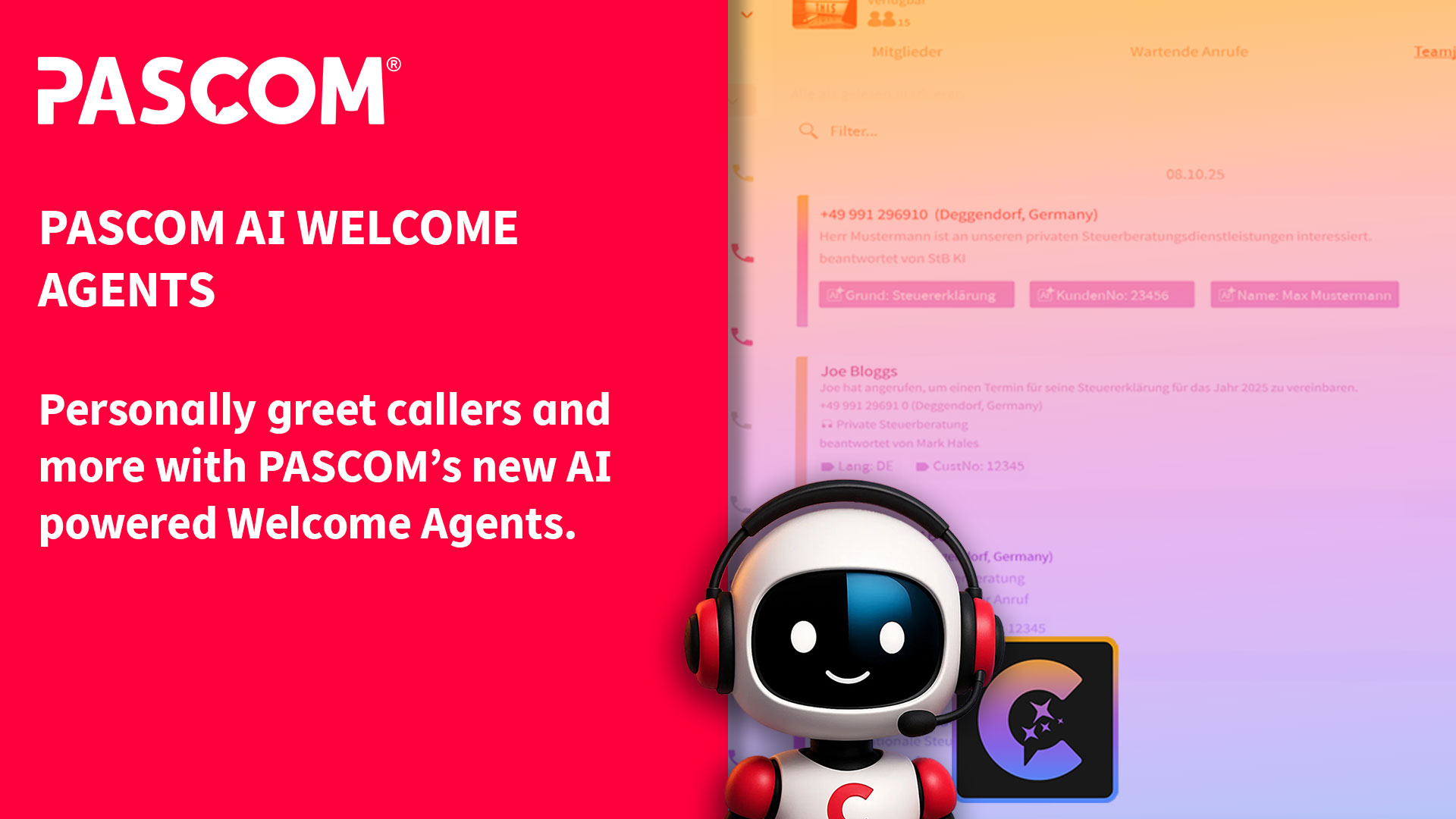
New PASCOM Intelligence Welcome AI Agents
PASCOM’s new Welcome Agents are AI agents that greet your business’ callers. However, unlike a prompt or other AI agents, PASCOM’s welcome agents dynamically access customer data stored within your PASCOM cloud phone system, such as customer name, VIP status and so on. This allows the agent to deliver a highly personalised caller experience before transferring the caller to a member of your team.
In addition, the new welcome agents are able to adapt their behaviour depending on a number of scenarios such as the time of day or information about the caller e.g. whether they are a VIP customer or not. What’s more, the welcome agents are also able to request specific information from the caller such as reacting to the options the caller choose within the IVR menu / AutoAttendant.
What’s more, as with other PASCOM AI agents, it is possible to use prompts to tell the welcome agent how to act in terms of professionalism, friendliness and even how formal the agent should be, e.g. first name basis or more formal when greeting callers.
Finally, all the information gathered by the agent can then be attached to the call in the form of call labels, which are displayed within the PASCOM, providing the employee to whom the agent transfers the call with an instant overview of all the information required to continue offering an excellent customer experience.
Example Use Case
A classic example of how the PASCOM welcome agent could be used is within a customer service / support team. But before we proceed, let’s set the scene:
The customer: John Smith needs support from the team at XYZ Consulting. He opened a support ticket using their customer portal the in the morning, but has not had a response yet and the issue is growing in importance and he can’t wait for the next business day response guaranteed by his SLA. At 15:00 he decides to call XYZ.
Agent setup: the welcome agent has been configured to react to information stored about the caller, entered in the IVR and the time of day. The agent has also been setup to ask if a support ticket is already open and to ask for the ticket number, all the while being very friendly and interacting on a first-name basis.
As a XYZ customer, John has called the company directly and chosen English and Support from the company’ phone system IVR menu. This has directed his call to the support queue. Ordinarily, the caller would then have to wait until their call is answered.
The process is the same if John had called the support team directly, bypassing the IVR
Thanks to PASCOM’s welcome AI agents, the process has become much more personal and customer orientated. Each caller is greeted automatically and personally. The agent gathers all the required information and passes this on to employees when transferring the call.
In the case of our example, the agent would answer the call as follows:
Good Afternoon John, I am Pia and I have noticed that you are trying to contact the XYZ support team.
Next, the agent could then ask the caller whether they already have a support case number / ticket number. If the answer is yes, the AI could then prompt the caller to enter the number and attach this number to the call as a call label which is then displayed to the support / customer service employee within the PASCOM app – allowing the employee to already look up the ticket, without having to request for the information, speeding up the whole process. In our case, the agent could ask the following:
To speed up the process, could you let me know if a support ticket has already been opened and if yes, please can you give me the ticket number.
Furthermore, the agent can make decisions on how best to handle the call by using additional information stored about the caller (e.g. VIP customer / Service Level Agreements).
In the case of John, he does not have VIP status, but if he did, the Welcome Agent could be setup to forward to the call to a different VIP call queue where wait times are shorter.
This ensures that callers to your company will receive a highly personalised experience when contacting your business, boosting customer service whilst simultaneously supporting your team in efficiently and effectively managing all your customer calls.
Smart AI Agent, Simple Setup
As with all PASCOM Intelligence functionality, setting up and configuring the new Welcome AI Agents is quick and straight-forward.
1. Add Welcome Agent
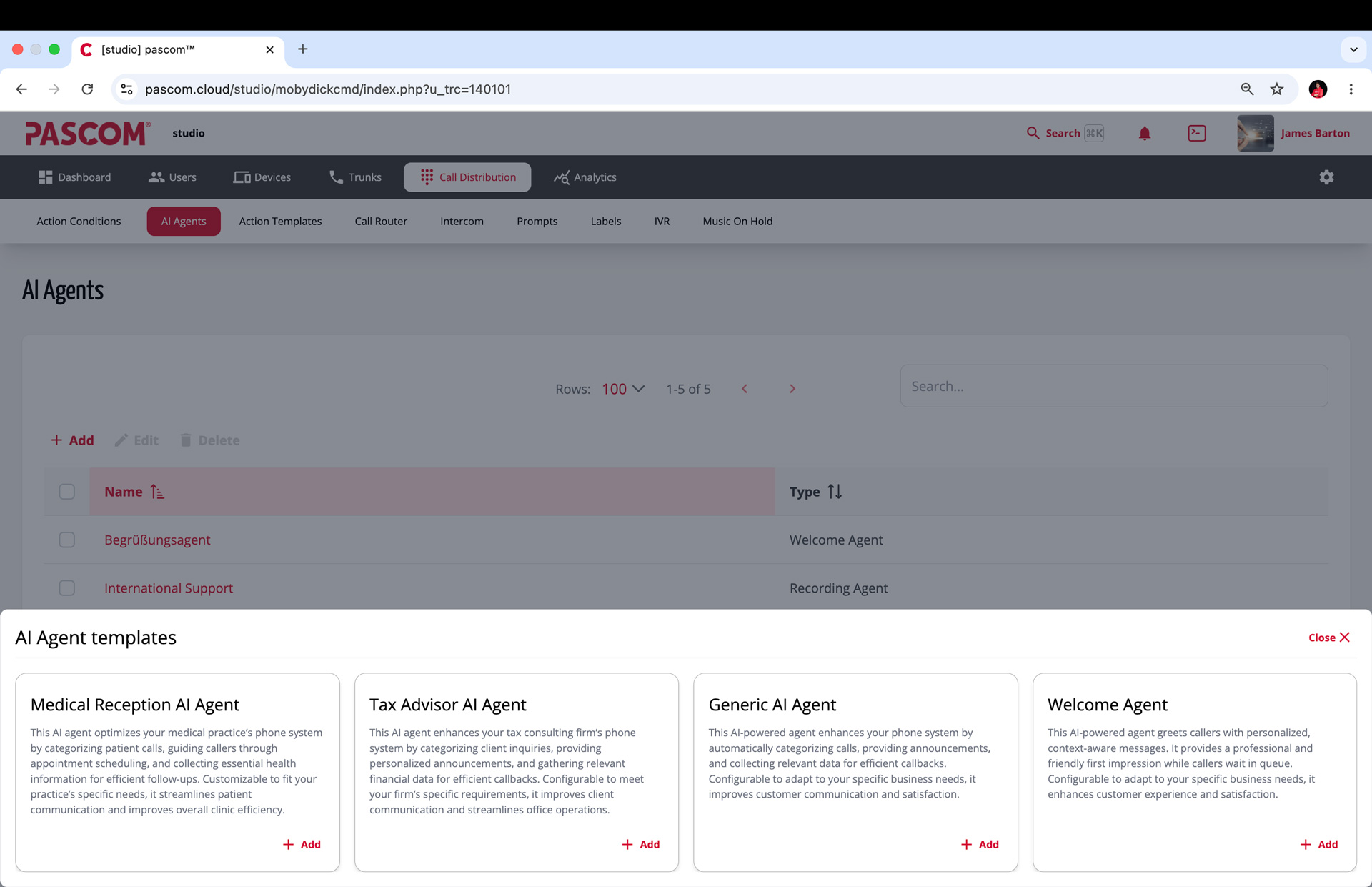
Simply log in to your PASOM phone system’s admin UI and navigate to the AI Agents overview as follows:
***Call Distribution > AI Agents > Add > Welcome Agent***
2. Welcome Agent Role Definition
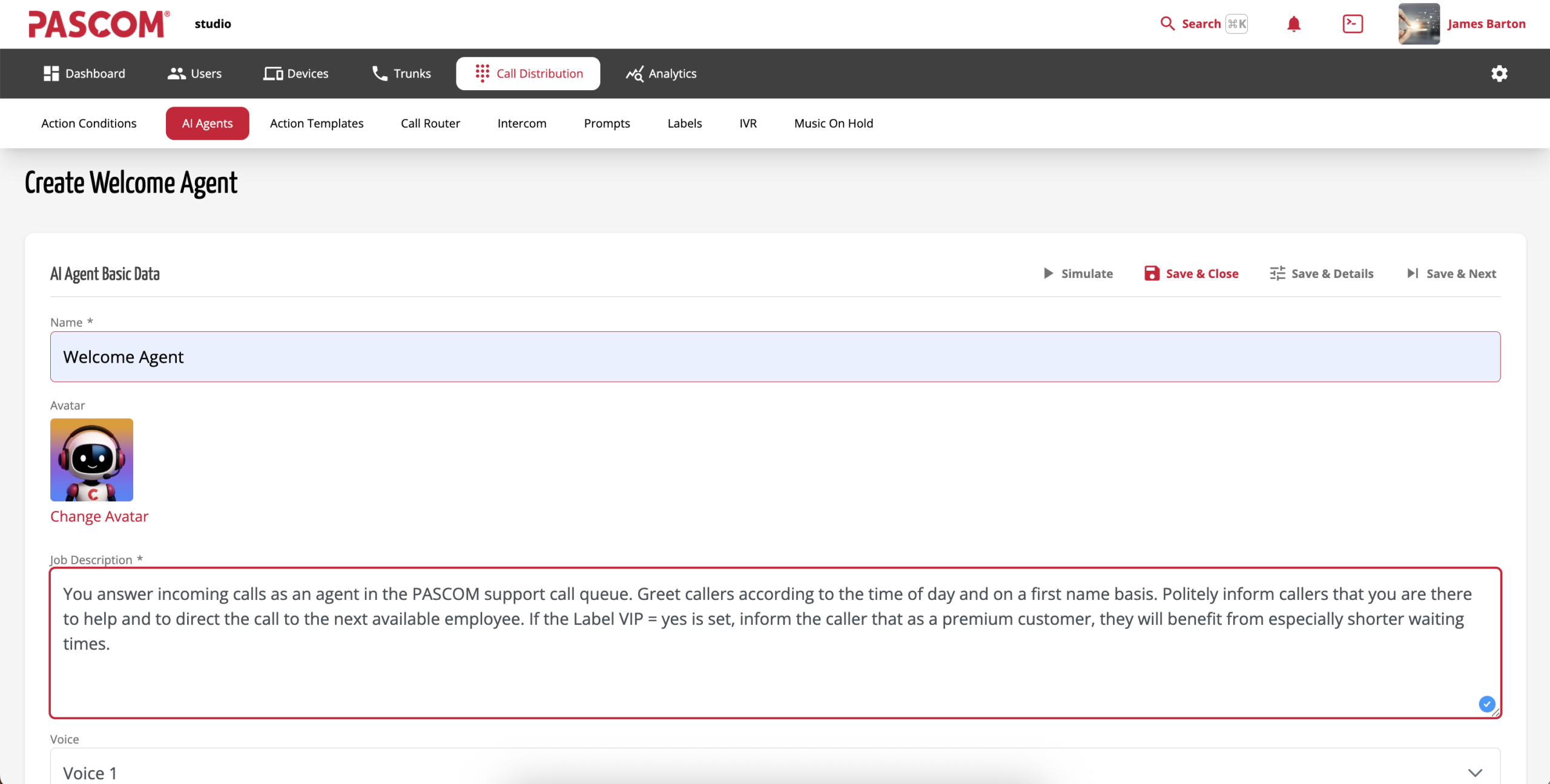
Once the initial setup screen is open, you will now be able to define the AI agents scope of operation – i.e. setup what it does and how. Simply enter a suitable name for the welcome agent. In order to make the Welcome Agent easily identifiable and distinguishable from other agents, the name should reflect the intended purpose. Next enter a brief job description for the agent before selecting a voice which the AI agent should use.
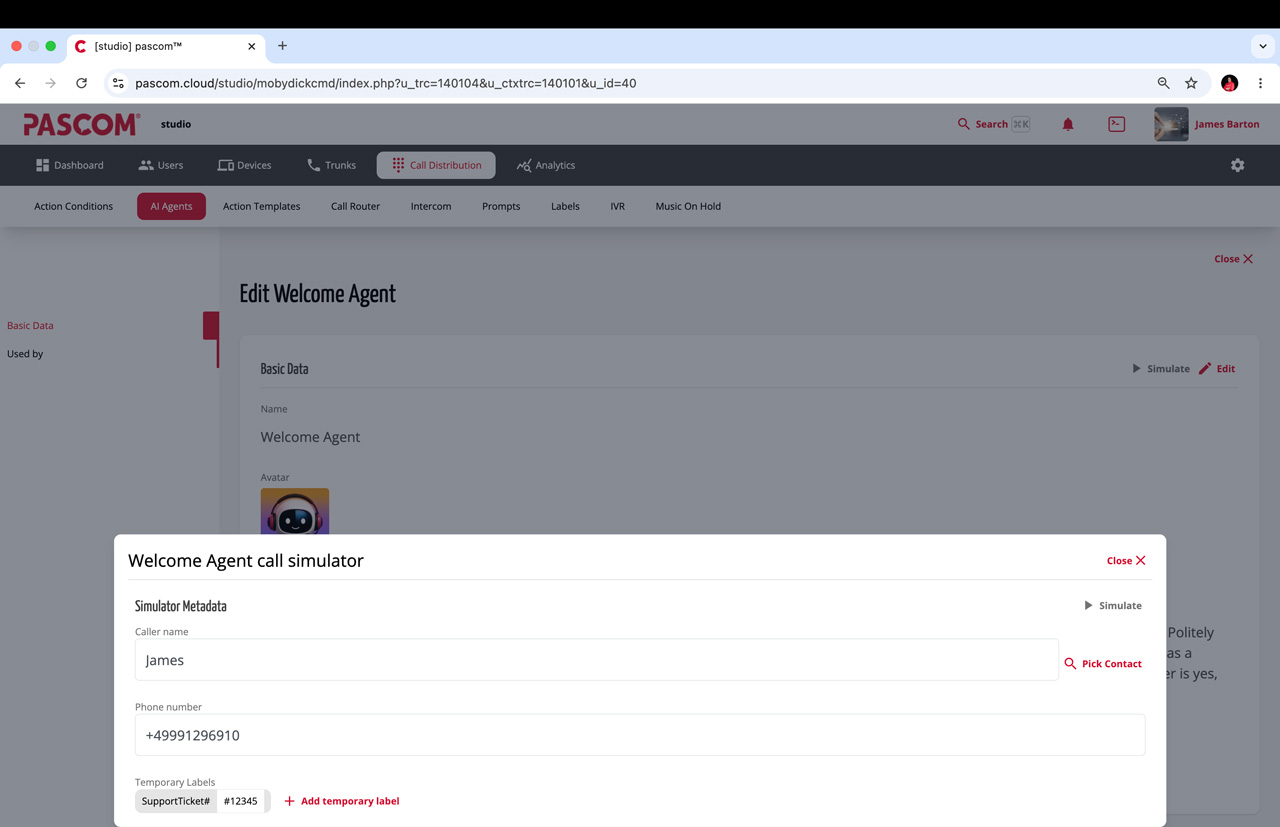
3. Test
In order to test your Agent, click the simulate icon to open the call simulation feature. Populate the simulator with a demo data and test the setup by clicking the grey play “simulate” button.
About PASCOM – Simply Better Connected
If you have any questions about PASCOM Cloud Telephony solutions and our Business Messaging and Collaboration apps, please visit our website and discover how PASCOM can help you upgrade your business communications by arranging a personalised demo with one of our experts. Alternatively, get started today with our free cloud phone system trial.
For more information and new feature updates, please visit:
whatsnew.pascom.net
| Free Trial | Contact Sales |